Microsoft Copilot Review (2026): Features, Pricing & Verdict
Microsoft’s AI assistant is built into Windows, Edge and the web, and it’s free for everyone. Here’s an honest look at what Copilot does well, where it frustrates, and whether it’s worth more than the free tier.
Microsoft Copilot is the AI assistant most Windows users already have without realising it. It lives on the taskbar, in the Edge browser, on the web at copilot.microsoft.com and in mobile apps, and the core assistant is completely free. In 2026 it’s grown from a rebadged Bing chatbot into a multi-model, agent-leaning platform that talks, sees your screen, searches the web with citations and plugs into the Microsoft 365 apps. It’s genuinely useful — and genuinely confusing, because “Copilot” now refers to about five different products. This review is about the consumer Copilot assistant, not the business Microsoft 365 Copilot or GitHub Copilot, which we’ll cover separately.
The models in 2026
For its first two years Copilot was essentially OpenAI’s GPT in a Microsoft wrapper. That changed in 2026: Copilot is now model-agnostic, routing each request to whichever model suits it best. In practice that means a mix of OpenAI’s GPT models, Anthropic’s Claude, and Microsoft’s own growing MAI family — including MAI-Voice for speech, MAI-Vision for images, MAI-Image for generation, and new reasoning and coding models unveiled at Build 2026.
This matters because it reduces Microsoft’s dependence on any single provider and lets Copilot pick the right tool for the job — a fast model for quick answers, a heavier one for reasoning. For you, it usually just happens automatically, though some surfaces let you nudge which mode you want (for example, a “Think Deeper” reasoning option).
Features: an assistant woven into Windows
Copilot on Windows & Vision
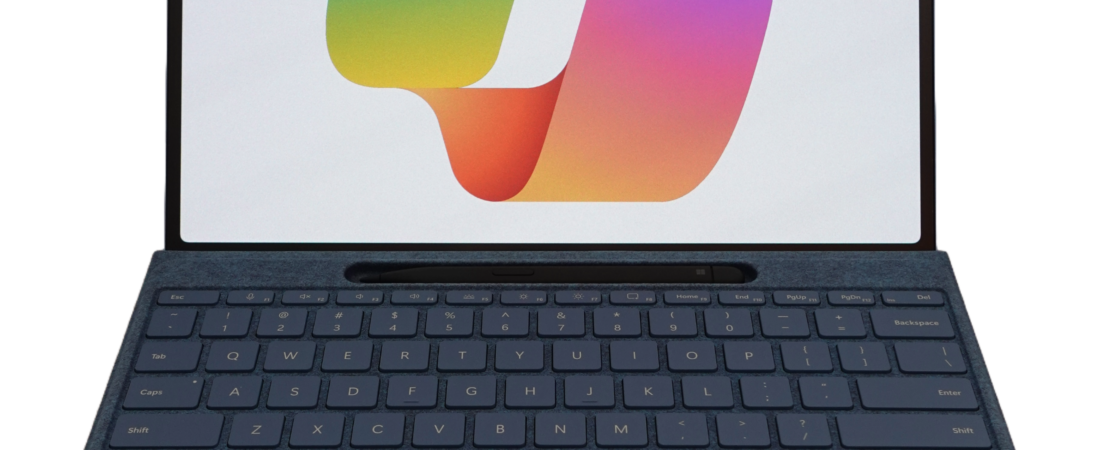
Copilot’s biggest advantage is where it sits. On Windows 11 you can summon it with “Hey Copilot,” and Copilot Vision lets it look at your screen to interpret error messages, explain settings or walk you through a task. Copilot Voice gives you a natural spoken back-and-forth, and the assistant can reach your files and apps.
Search, Pages & Groups
Copilot Search blends AI-generated, cited answers with normal web results. Copilot Pages is a shared canvas for turning answers into a working document, and Groups lets up to 32 people share a Copilot session to brainstorm or co-author together — a genuinely novel collaboration feature.
The rest of the toolkit
You also get image generation, a Deep Research / Researcher mode for longer cited reports, memory and personalisation, a daily news brief, and a friendly animated assistant character called Mico. On Copilot+ PCs there are on-device features like Recall and Click to Do. One caveat throughout: several features — Groups, Copilot for Health and others — roll out in the US first and reach other countries later.
Pricing in 2026
This is where Copilot gets confusing, because Microsoft reshuffled its consumer plans in late 2025. The short version: the assistant is free, and paid Copilot for individuals now comes bundled inside Microsoft 365.
| Plan | Price | What you get |
|---|---|---|
| Free | $0 | Full consumer Copilot: chat, voice, vision, image generation, Search and Think Deeper on web, Windows, Edge and mobile |
| Microsoft 365 Personal | $9.99/mo | Office apps + 1 TB storage + Copilot with a monthly usage quota |
| Microsoft 365 Family | $12.99/mo | Same as Personal, shareable with up to 6 people |
| Microsoft 365 Premium | $19.99/mo | The top consumer AI bundle that replaced Copilot Pro — Office apps, the most Copilot usage, extra storage and advanced security |
| Copilot Pro | $20/mo | Legacy add-on, being retired — existing users supported until 1 Aug 2026; new users should pick Premium |
Note the business product, Microsoft 365 Copilot at $30/user/month, is a different thing entirely — it grounds answers on your organisation’s data and is reviewed separately. For most individuals, the free tier covers a lot, and only people who want Copilot inside Word, Excel and Outlook need to step up to a Microsoft 365 plan.
Pros and cons
✅ Strengths
- Unmatched integration with Windows, Edge and Microsoft 365
- Genuinely capable, generous free tier
- Multi-model: GPT, Claude and Microsoft’s own MAI models
- “Hey Copilot,” Copilot Vision and Voice on Windows
- Groups (up to 32 people) is a clever collaboration feature
- Cited Copilot Search blends AI with real web results
- Backed by Microsoft’s enormous compute
❌ Weaknesses
- The “Copilot” brand is a genuine maze of products
- Output polish sometimes trails ChatGPT and Claude
- Many features land in the US first
- Copilot Vision can mislabel what it sees
- Privacy concerns around Recall on Copilot+ PCs
- Paid consumer pricing was reshuffled and is confusing
- Strong pull toward Microsoft lock-in
Where it falls short
Copilot’s defining weakness isn’t capability — it’s coherence. The word “Copilot” is attached to the free chatbot, a consumer Office bundle, a $30 business product, a coding tool and an agent builder, and Microsoft’s own pricing changes have made it harder, not easier, to know what you’re buying. For a mainstream assistant, that’s a real barrier.
On quality, Copilot is broadly competent but occasionally trails the best single-output tools; if you want the sharpest writing or the most reliable image recognition, ChatGPT or Claude sometimes edge it. Regional gating is another frustration — some of the most interesting features arrive in the US months before elsewhere. And on privacy, the Copilot+ PC Recall feature, which can periodically capture what’s on your screen, drew heavy criticism and remains the thing privacy-conscious users most want to switch off. None of this stops Copilot being useful, but it stops it being effortless.
Scorecard
How Microsoft Copilot scores across what matters, averaging to 8.2/10:
Verdict
Microsoft Copilot is the easy, obvious choice if your world already runs on Windows and Microsoft 365. Nothing else is this tightly woven into the operating system and the Office apps, the free tier is more capable than most paid rivals, and the multi-model approach means you’re often getting frontier-grade answers without choosing a model at all. It earns its 8.2 on convenience and value.
What keeps it out of the top tier is the surrounding mess: the confusing family of “Copilots,” the reshuffled pricing, the US-first rollouts and the privacy unease around Recall. If you want the most polished standalone assistant, ChatGPT still edges it — but if you want AI that’s simply there, in the tools you already use, Copilot is hard to beat. Compare it with our ChatGPT review, Google Gemini review, Claude review and Perplexity review.
Frequently asked questions
Is Microsoft Copilot free?
Yes. The consumer Copilot assistant is free on the web, in Windows, in Edge and on mobile, including voice, vision, image generation and web search. Paid plans add Copilot inside the Office apps and higher usage limits.
Which Copilot is this review about?
The consumer Copilot assistant (copilot.microsoft.com and the Windows/Edge/mobile apps). It’s separate from Microsoft 365 Copilot (the business Office product), GitHub Copilot (coding) and Copilot Studio (agent building).
What happened to Copilot Pro?
Microsoft retired the standalone $20/month Copilot Pro for new consumers in late 2025 and replaced it with Microsoft 365 Premium (~$19.99/month), which bundles the Office apps with Copilot. Existing Copilot Pro users are supported until 1 August 2026.
What AI models does Copilot use?
In 2026 it’s multi-model: it routes between OpenAI’s GPT models, Anthropic’s Claude, and Microsoft’s own MAI family (voice, vision, image, reasoning), picking the best fit for each request.
Is Recall a privacy risk?
Recall, a Copilot+ PC feature that can periodically capture your screen, drew significant privacy criticism. It’s opt-in and can be disabled, but it remains the feature privacy-conscious users most often turn off.
Is Copilot better than ChatGPT?
For Windows and Office integration, yes. For raw output polish and breadth, ChatGPT still has the edge. Many people use Copilot for in-OS convenience and a separate assistant for heavier creative work.
Reviewed June 2026 by AINewsAndUpdates.com. Models, features and pricing change quickly — always confirm current details on the official site before subscribing.